 Micah's Malwr Club
17 - Setting up Rocknix on an Anbernic RGDS
I bought this device as a Christmas gift for a friend, but they haven't been able to use it all this time because of the time/complexity of setting it up :c
That is no longer the case though! I stumbled across a how-to on YouTube comparing the two alternative OSs for the Anbernic RGDS (i.e., GammaOS and Rocknix) by the creator RetroGameCorps. GammaOS has been out now for a couple of months and it is the more “premium” option with the availability of Google AOSP/PlayStore; however, as noted in the original video, GammaOS is less performant on the RGDS given the minimal hardware.
With that in-mind, I decided to follow the rest of the guide and the creator's suggestion - Rocknix.
Rocknix is an immutable Linux distribution for handheld gaming devices focused on retro gaming emulation. It offers a really wide range of features that I wouldn't have expected from a hobbyist platform:
- Local and remote multiplayer support
- In-game touch controls for supported devices
- Custom performance and power profiles for optimal balance
- Integrated music and video playback
- Bluetooth audio and controller connectivity
- HDMI and USB output for audio and video
- Cloud and LAN synchronization via Syncthing and rclone
- Built-in VPN support with WireGuard, Tailscale, and ZeroTier
- RetroAchievements and automatic game scraping
With the mention of built-in VPN support, I do wonder if this allows Moonlight for remote handheld gaming? At this time, I do not know and I haven't researched it - but it does sound interesting.
Setting up the RGDS to use Rocknix was fairly straightforward. As shown in the video, we first need to download Rocknix Nightly from the Github repo (at the time of this writing there is still no official release for the RGDS):
https://github.com/ROCKNIX/distribution-nightly/releases/
Then, we need to download the most recent release under assets:
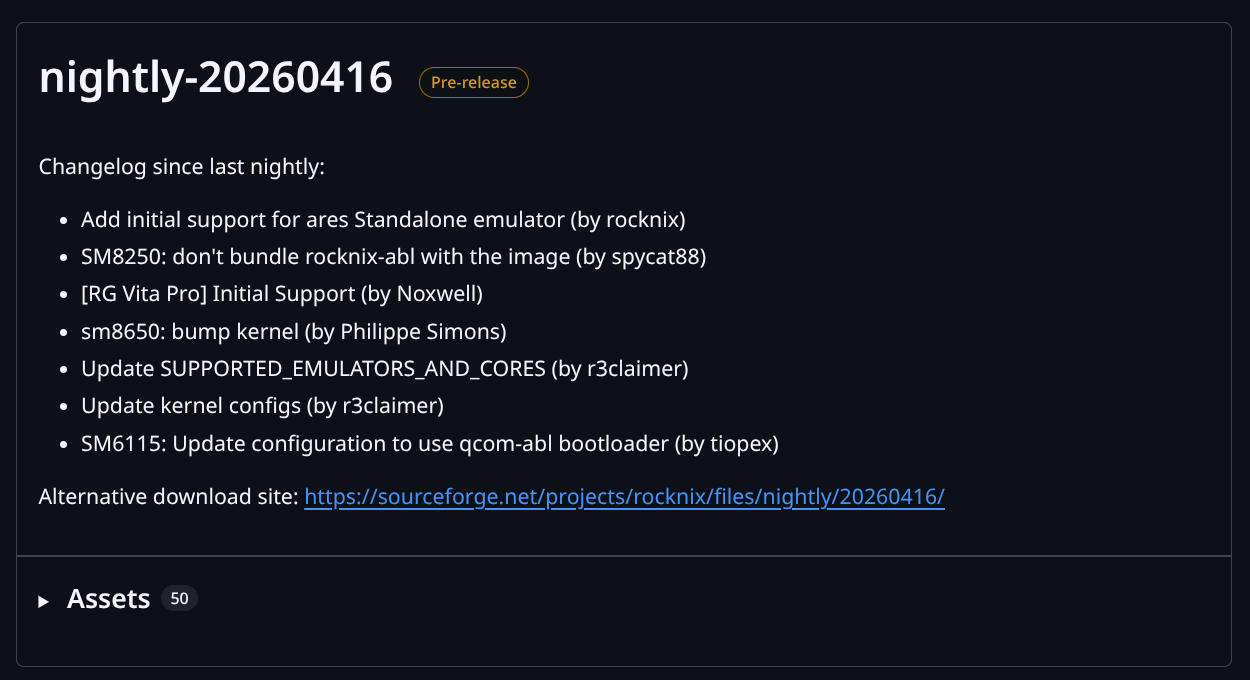
In the video, the author says that we need to download the “Specific.img.gz” build. I do not know why this one specifically versus the other options - but I assume there is a community note explaining why somewhere.
Replace the following …
FDT /device_trees/rk3566-powkiddy-x55.dtbwith this instead …
FDT /device_trees/rk3568-anbernic-rg-ds.dtb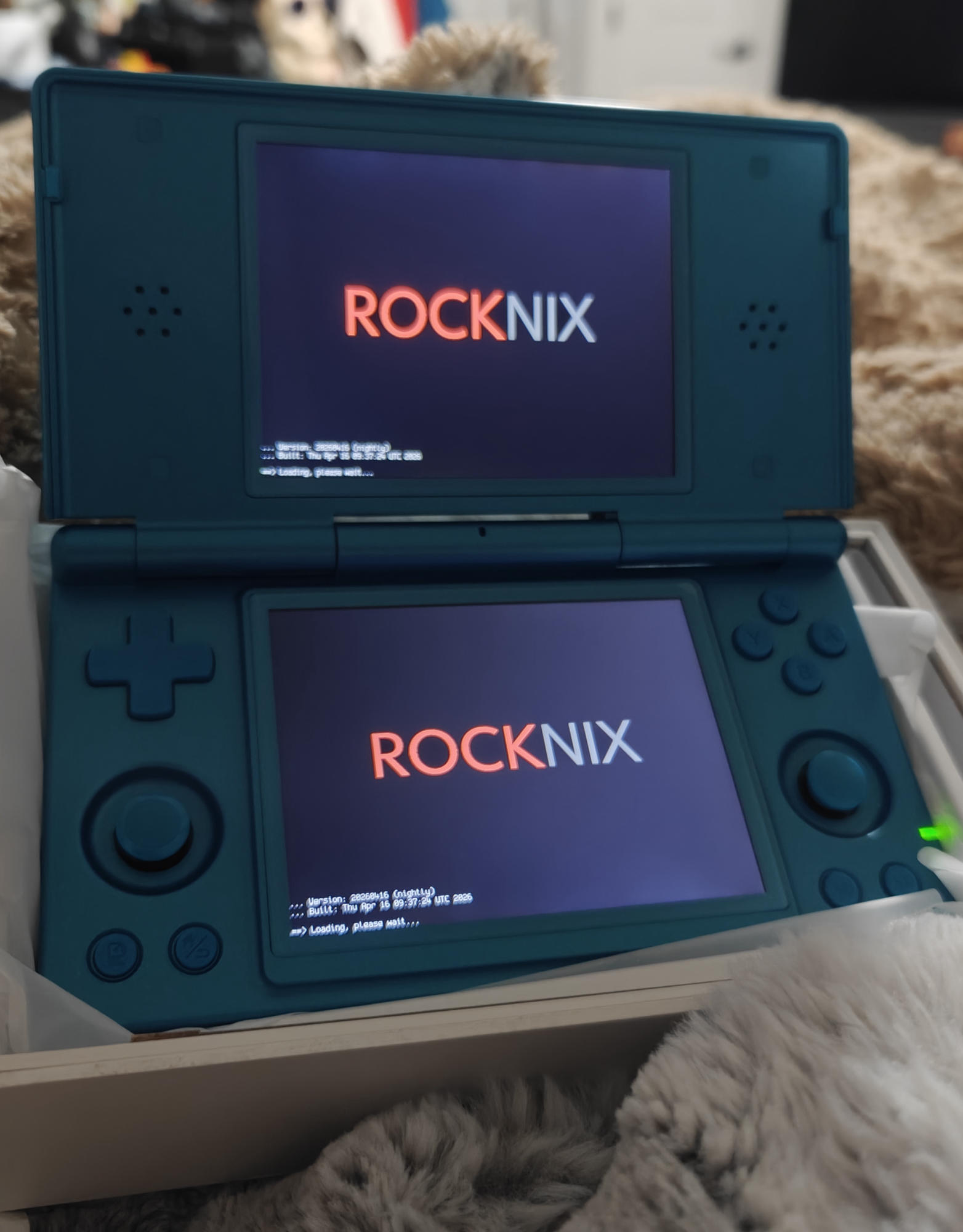.jpg) | 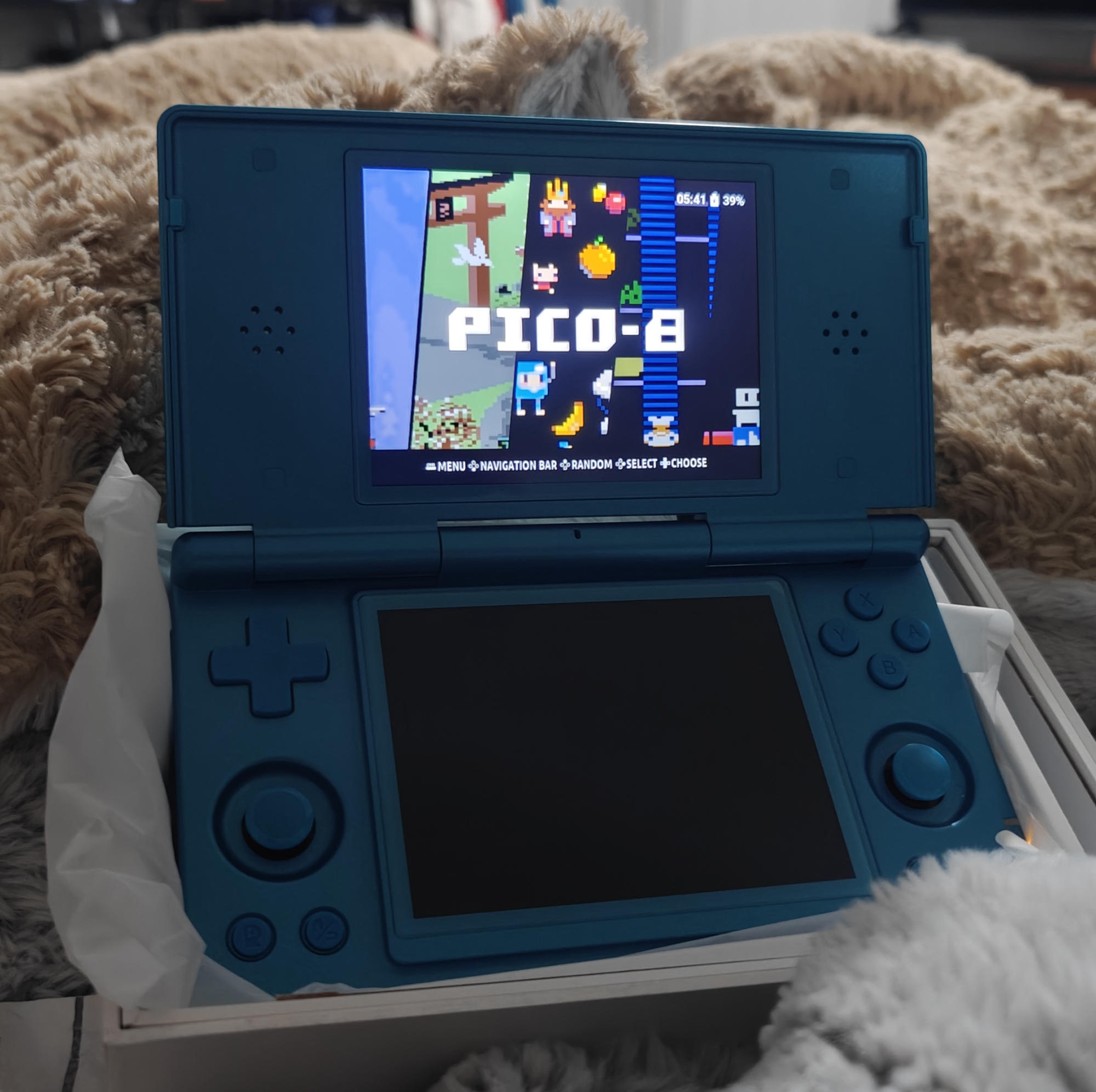.jpg) |
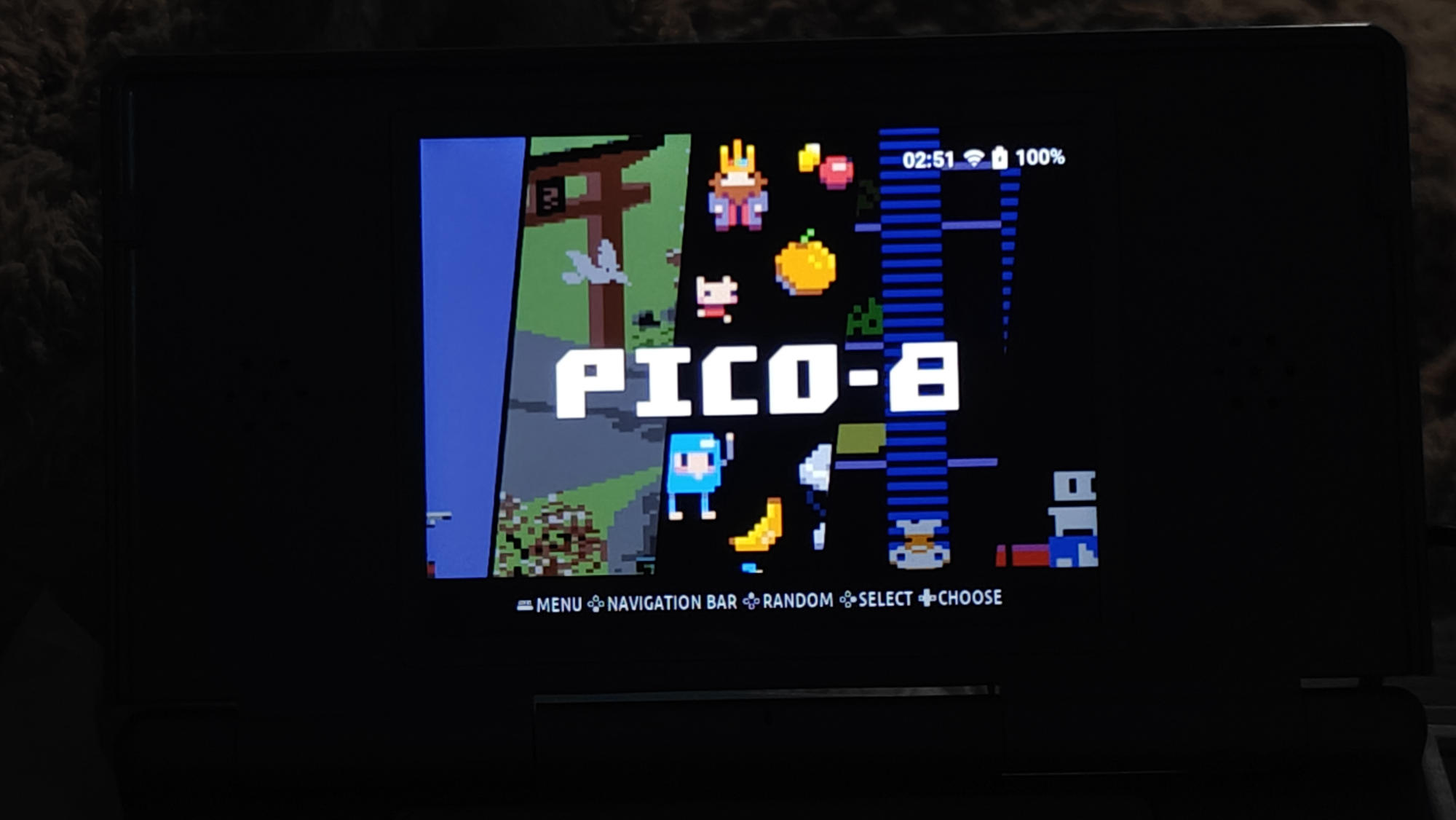 | 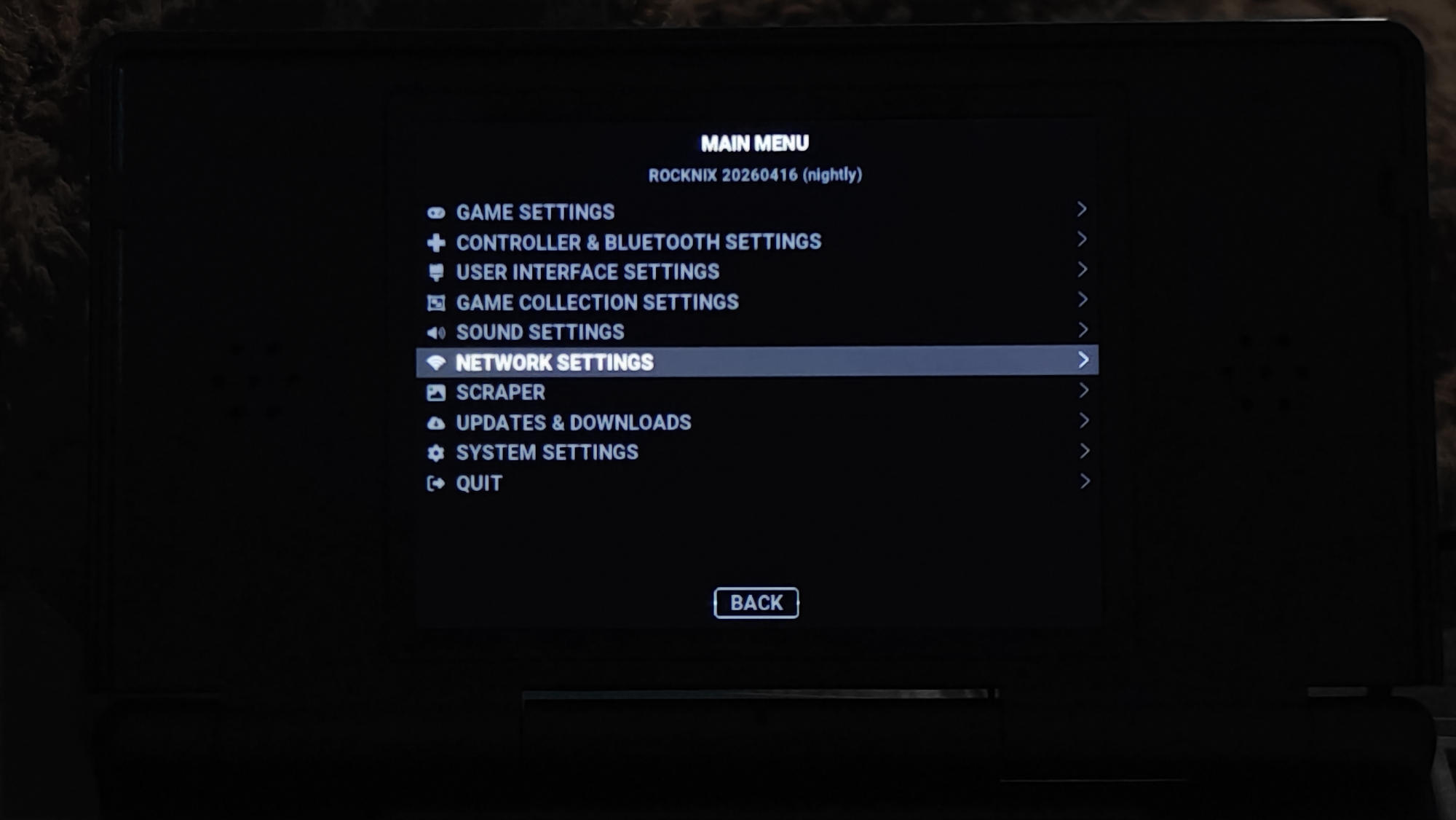 | 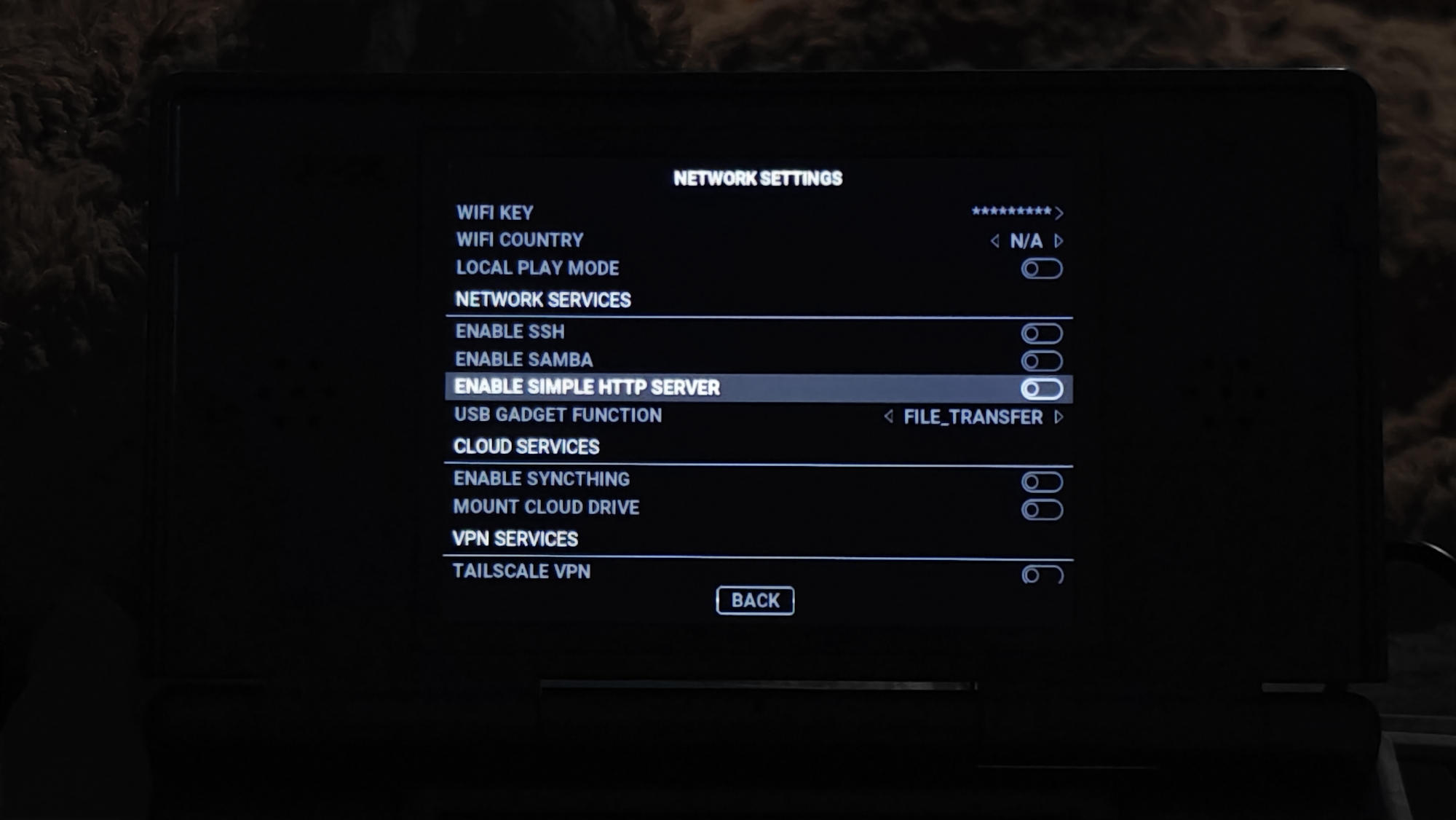 |
cat RetroArch_Lakka_v1.22.2_BIOS_Pack.zip.part* > RetroArch_Lakka_v1.22.2_BIOS_Pack.zipROCKNIX_Anbernic_RG_DS_d3ae1966c4d4dc3d174312d91880a30e/Roms:
3do atomiswave cps3 gbah megadrive ndsiware pcenginecd screenshots tg16 wonderswan
3ds bbcmicro daphne gbav megadriveh neocd pcfx scummvm tg16cd wonderswancolor
amiga bezels doom gbc megadrive-japan neogeo pet scv themes x1
amigacd32 bios dreamcast gbch megaduck nes pico-8 sega32x tic-80 x68000
amstradcpc bk easyrpg gbh moonlight nesh pokemini segacd uzebox zmachine
arcade c128 famicom genesis moto ngp ports sfc vectrex zx81
arduboy c16 fbneo genh mplayer ngpc ps2 sg-1000 vic20 zxspectrum
atari2600 c64 fds intellivision msx odyssey psp sgfx videopac
atari5200 cdi gameandwatch ios msx2 openbor pspminis snes vircon32
atari7800 channelf gamecube j2me music palm psvita snesh virtualboy
atari800 chip-8 gamegear mac n64 pc psx snesmsu1 wasm4
atarijaguar coleco gamegearh mame n64dd pc88 satellaview st-v wii
atarilynx cps1 gb mastersystem naomi pc98 saturn sufami wiiware
atarist cps2 gba megacd nds pcengine savestates supervision windowsRoms/3do/bios/
goldstar.bin
panafz10.bin
panafz10e-anvil.bin
panafz10e-anvil-norsa.bin
panafz10ja-anvil-kanji.bin
panafz10-norsa.bin
panafz1.bin
panafz1j.bin
panafz1j-kanji.bin
panafz1j-norsa.bin
panafz1-kanji.bin
sanyotry.binWhich can all be automated with this script and usage:
./copy_bios_to_rocknix.sh /path/to/extracted/bios /path/to/ROCKNIX/romsIf you are like me and using the USB file transfer method mentioned before, you might want to use quotes around the RGDS path:
./copy_bios_to_rocknix.sh /path/to/extracted/bios "/run/user/1000/gvfs/mtp:host=ROCKNIX_Anbernic_RG_DS_d3ae1966c4d4dc3d174312d91880a30e/Roms"#!/usr/bin/env bash
# =============================================================================
# ROCKNIX BIOS Copy Script
# Generated for RetroBIOS v2026.04.02 → ROCKNIX directory structure
#
# USAGE:
# 1. Set BIOS_SRC to the folder where you extracted the RetroArch/Lakka pack
# 2. Set ROCKNIX_ROMS to the root roms/ folder on your ROCKNIX device
# 3. Run: bash copy_bios_to_rocknix.sh
#
# The script will:
# - Create bios/ subdirectories as needed
# - Copy matching files (skips missing files with a warning)
# - Unzip .zip BIOS files into the correct bios/ folder
# - Print a summary at the end
# =============================================================================
BIOS_SRC="${1:-./bios}" # First argument OR current ./bios folder
ROCKNIX_ROMS="${2:-/run/media/ROCKNIX/roms}" # Second argument OR default mount
COPIED=0
SKIPPED=0
ERRORS=0
echo "======================================"
echo " ROCKNIX BIOS Installer"
echo "======================================"
echo " Source : $BIOS_SRC"
echo " Target : $ROCKNIX_ROMS"
echo "======================================"
# Helper: copy a file if it exists
copy_file() {
local src="$BIOS_SRC/$1"
local dst_dir="$ROCKNIX_ROMS/$2"
local dst="$dst_dir/$1"
if [ -f "$src" ]; then
mkdir -p "$dst_dir"
cp -v "$src" "$dst" && ((COPIED++)) || ((ERRORS++))
else
echo " [SKIP] Not found: $1"
((SKIPPED++))
fi
}
# Helper: unzip a zip BIOS into a folder (extracts contents flat)
unzip_bios() {
local src="$BIOS_SRC/$1"
local dst_dir="$ROCKNIX_ROMS/$2"
if [ -f "$src" ]; then
mkdir -p "$dst_dir"
unzip -o -j "$src" -d "$dst_dir" && ((COPIED++)) || ((ERRORS++))
echo " [UNZIP] $1 → $2/"
else
echo " [SKIP] Not found: $1"
((SKIPPED++))
fi
}
echo ""
echo "--- 3DO ---"
unzip_bios "3dobios.zip" "3do/bios"
copy_file "panafz1.bin" "3do/bios"
copy_file "panafz1j.bin" "3do/bios"
copy_file "panafz1j-kanji.bin" "3do/bios"
copy_file "panafz1j-norsa.bin" "3do/bios"
copy_file "panafz1-kanji.bin" "3do/bios"
copy_file "panafz10.bin" "3do/bios"
copy_file "panafz10e-anvil.bin" "3do/bios"
copy_file "panafz10e-anvil-norsa.bin" "3do/bios"
copy_file "panafz10ja-anvil-kanji.bin" "3do/bios"
copy_file "panafz10-norsa.bin" "3do/bios"
copy_file "goldstar.bin" "3do/bios"
copy_file "sanyotry.bin" "3do/bios"
copy_file "panafz1j.bin" "3do/bios"
echo ""
echo "--- Amiga / amigacd32 ---"
copy_file "kick12.rom" "amiga/bios"
copy_file "kick13.rom" "amiga/bios"
copy_file "kick20.rom" "amiga/bios"
copy_file "kick205.rom" "amiga/bios"
copy_file "kick31.rom" "amiga/bios"
copy_file "kick33180.A500" "amiga/bios"
copy_file "kick34005.A500" "amiga/bios"
copy_file "kick34005.CDTV" "amiga/bios"
copy_file "kick37175.A500" "amiga/bios"
copy_file "kick37350.A600" "amiga/bios"
copy_file "kick39106.A1200" "amiga/bios"
copy_file "kick39106.A4000" "amiga/bios"
copy_file "kick40060.CD32" "amiga/bios"
copy_file "kick40060.CD32.ext" "amiga/bios"
copy_file "kick40063.A600" "amiga/bios"
copy_file "kick40068.A1200" "amiga/bios"
copy_file "kick40068.A4000" "amiga/bios"
copy_file "kick31034.A1000" "amiga/bios"
copy_file "kick32034.A1000" "amiga/bios"
copy_file "kick.rom" "amiga/bios"
copy_file "amiga-os-120.rom" "amiga/bios"
copy_file "amiga-os-130.rom" "amiga/bios"
copy_file "amiga-os-204.rom" "amiga/bios"
copy_file "amiga-os-205.rom" "amiga/bios"
copy_file "amiga-os-310-a1200.rom" "amiga/bios"
copy_file "amiga-os-310-a3000.rom" "amiga/bios"
copy_file "amiga-os-310-a4000.rom" "amiga/bios"
copy_file "amiga-os-310-cd32.rom" "amigacd32/bios"
copy_file "amiga-ext-130-cdtv.rom" "amiga/bios"
copy_file "amiga-ext-310-cd32.rom" "amigacd32/bios"
copy_file "cd32.rom" "amigacd32/bios"
copy_file "cd32ext.rom" "amigacd32/bios"
copy_file "cd32fmv.rom" "amigacd32/bios"
copy_file "cdtvext.rom" "amiga/bios"
copy_file "cdtv.rom" "amiga/bios"
copy_file "aros-rom.bin" "amiga/bios"
copy_file "aros-ext.bin" "amiga/bios"
echo ""
echo "--- Amstrad CPC ---"
copy_file "cpc464.rom" "amstradcpc/bios"
copy_file "cpc6128.rom" "amstradcpc/bios"
copy_file "cpc664.rom" "amstradcpc/bios"
copy_file "cpc_amsdos.rom" "amstradcpc/bios"
echo ""
echo "--- Atari 2600 ---"
copy_file "ATARIOSA.ROM" "atari2600/bios"
copy_file "ATARIOSB.ROM" "atari2600/bios"
echo ""
echo "--- Atari 5200 ---"
copy_file "5200.rom" "atari5200/bios"
copy_file "ATARIBAS.ROM" "atari5200/bios"
copy_file "ATARIOSA.ROM" "atari5200/bios"
echo ""
echo "--- Atari 7800 ---"
copy_file "7800 BIOS (E).rom" "atari7800/bios"
copy_file "7800 BIOS (U).rom" "atari7800/bios"
echo ""
echo "--- Atari 800 / XL / XE ---"
copy_file "ATARIBAS.ROM" "atari800/bios"
copy_file "ATARIOSA.ROM" "atari800/bios"
copy_file "ATARIOSB.ROM" "atari800/bios"
copy_file "ATARIXL.ROM" "atari800/bios"
copy_file "XEGAME.ROM" "atari800/bios"
echo ""
echo "--- Atari ST ---"
copy_file "tos.img" "atarist/bios"
echo ""
echo "--- BBC Micro ---"
copy_file "48.rom" "bbcmicro/bios"
echo ""
echo "--- Commodore 64 / C128 ---"
copy_file "JiffyDOS_C64.bin" "c64/bios"
copy_file "JiffyDOS_1541-II.bin" "c64/bios"
copy_file "JiffyDOS_1571_repl310654.bin" "c64/bios"
copy_file "JiffyDOS_1581.bin" "c64/bios"
copy_file "JiffyDOS_SX-64.bin" "c64/bios"
copy_file "JiffyDOS_C128.bin" "c128/bios"
echo ""
echo "--- Coleco Vision ---"
copy_file "BIOS.col" "coleco/bios"
copy_file "coleco.rom" "coleco/bios"
copy_file "colecovision.rom" "coleco/bios"
echo ""
echo "--- Dreamcast ---"
copy_file "dc_bios.bin" "dreamcast/bios"
copy_file "dc_flash.bin" "dreamcast/bios"
echo ""
echo "--- FDS (Famicom Disk System) ---"
copy_file "disksys.rom" "fds/bios"
echo ""
echo "--- FBNeo / Arcade ---"
copy_file "neogeo.zip" "fbneo/bios"
copy_file "pgm.zip" "fbneo/bios"
echo ""
echo "--- Game Boy / GBC / GBA ---"
copy_file "dmg_boot.bin" "gb/bios"
copy_file "gb_bios.bin" "gb/bios"
copy_file "cgb_boot.bin" "gbc/bios"
copy_file "gbc_bios.bin" "gbc/bios"
copy_file "agb_boot.bin" "gba/bios"
copy_file "gba_bios.bin" "gba/bios"
echo ""
echo "--- Game Gear ---"
copy_file "bios.gg" "gamegear/bios"
echo ""
echo "--- GameCube ---"
copy_file "gc-ntsc-10.bin" "gamecube/bios"
copy_file "gc-ntsc-11.bin" "gamecube/bios"
copy_file "gc-ntsc-12.bin" "gamecube/bios"
copy_file "gc-pal-10.bin" "gamecube/bios"
copy_file "gc-pal-11.bin" "gamecube/bios"
copy_file "gc-pal-12.bin" "gamecube/bios"
copy_file "gc-dvd-20010608.bin" "gamecube/bios"
copy_file "gc-dvd-20010831.bin" "gamecube/bios"
copy_file "gc-dvd-20020402.bin" "gamecube/bios"
copy_file "gc-dvd-20020823.bin" "gamecube/bios"
echo ""
echo "--- Intellivision ---"
copy_file "exec.bin" "intellivision/bios"
copy_file "grom.bin" "intellivision/bios"
echo ""
echo "--- Lynx ---"
copy_file "lynxboot.img" "atarilynx/bios"
echo ""
echo "--- Mega CD / Sega CD ---"
copy_file "bios_CD_E.bin" "megacd/bios"
copy_file "bios_CD_J.bin" "megacd/bios"
copy_file "bios_CD_U.bin" "megacd/bios"
copy_file "eu_mcd1_9210.bin" "megacd/bios"
copy_file "eu_mcd2_9303.bin" "megacd/bios"
copy_file "eu_mcd2_9306.bin" "megacd/bios"
copy_file "jp_mcd1_9111.bin" "megacd/bios"
copy_file "jp_mcd1_9112.bin" "megacd/bios"
copy_file "jp_mcd2_921222.bin" "megacd/bios"
copy_file "us_scd1_9210.bin" "segacd/bios"
copy_file "us_scd2_9306.bin" "segacd/bios"
copy_file "SegaCDBIOS9303.bin" "segacd/bios"
echo ""
echo "--- MSX / MSX2 ---"
copy_file "MSX.ROM" "msx/bios"
copy_file "MSX2.ROM" "msx2/bios"
copy_file "MSX2EXT.ROM" "msx2/bios"
copy_file "MSX2P.ROM" "msx2/bios"
copy_file "MSX2PEXT.ROM" "msx2/bios"
copy_file "MSXDOS2.ROM" "msx2/bios"
copy_file "FMPAC.ROM" "msx2/bios"
copy_file "FMPAC16.ROM" "msx2/bios"
echo ""
echo "--- N64 / N64DD ---"
copy_file "64DD_IPL.bin" "n64dd/bios"
echo ""
echo "--- NDS ---"
copy_file "bios7.bin" "nds/bios"
copy_file "bios9.bin" "nds/bios"
copy_file "firmware.bin" "nds/bios"
copy_file "dsi_bios7.bin" "ndsiware/bios"
copy_file "dsi_bios9.bin" "ndsiware/bios"
copy_file "dsi_firmware.bin" "ndsiware/bios"
echo ""
echo "--- Neo Geo CD ---"
copy_file "neocd.bin" "neocd/bios"
copy_file "neocd_f.rom" "neocd/bios"
copy_file "neocd_sf.rom" "neocd/bios"
copy_file "neocd_st.rom" "neocd/bios"
copy_file "neocd_sz.rom" "neocd/bios"
copy_file "neocd_t.rom" "neocd/bios"
copy_file "neocd_z.rom" "neocd/bios"
echo ""
echo "--- Neo Geo (AES/MVS) ---"
copy_file "neogeo.zip" "neogeo/bios"
echo ""
echo "--- NGP / NGPC ---"
copy_file "ngp.zip" "ngp/bios"
echo ""
echo "--- PC Engine / TG16 / PC Engine CD ---"
copy_file "syscard1.pce" "pcenginecd/bios"
copy_file "syscard2.pce" "pcenginecd/bios"
copy_file "syscard2u.pce" "tg16cd/bios"
copy_file "syscard3.pce" "pcenginecd/bios"
copy_file "syscard3u.pce" "tg16cd/bios"
copy_file "gecard.pce" "pcengine/bios"
copy_file "gexpress.pce" "pcengine/bios"
echo ""
echo "--- PC-FX ---"
copy_file "pcfxbios.bin" "pcfx/bios"
copy_file "pcfx.rom" "pcfx/bios"
copy_file "pcfxv101.bin" "pcfx/bios"
copy_file "pcfxga.rom" "pcfx/bios"
echo ""
echo "--- PS2 ---"
# Copy a selection of common PS2 BIOS files
for f in \
ps2-0220a-20060905.bin \
ps2-0220e-20060905.bin \
ps2-0220j-20060905.bin \
ps2_scph39001.bin \
ps2_scph50000_55000.bin \
ps2_scph70000.bin \
ps2_scph75000.bin \
ps2_scph90000_0220.bin; do
copy_file "$f" "ps2/bios"
done
echo ""
echo "--- PSX ---"
copy_file "scph1001.bin" "psx/bios"
copy_file "scph5501.bin" "psx/bios"
copy_file "scph5502.bin" "psx/bios"
copy_file "scph5500.bin" "psx/bios"
copy_file "scph7001.bin" "psx/bios"
copy_file "scph7002.bin" "psx/bios"
copy_file "scph7003.bin" "psx/bios"
copy_file "scph101.bin" "psx/bios"
copy_file "scph102.bin" "psx/bios"
copy_file "SCPH-10000.bin" "psx/bios"
copy_file "ps1_rom.bin" "psx/bios"
copy_file "psxonpsp660.bin" "psx/bios"
echo ""
echo "--- PSP ---"
copy_file "ppge_atlas.zim" "psp/bios"
echo ""
echo "--- Saturn ---"
copy_file "saturn_bios.bin" "saturn/bios"
copy_file "hisaturn.bin" "saturn/bios"
copy_file "vsaturn.bin" "saturn/bios"
copy_file "satar4mp.bin" "saturn/bios"
echo ""
echo "--- Sega 32X ---"
copy_file "32X_G_BIOS.BIN" "sega32x/bios"
copy_file "32X_M_BIOS.BIN" "sega32x/bios"
copy_file "32X_S_BIOS.BIN" "sega32x/bios"
echo ""
echo "--- Master System ---"
copy_file "bios_E.sms" "mastersystem/bios"
copy_file "bios_J.sms" "mastersystem/bios"
copy_file "bios_U.sms" "mastersystem/bios"
copy_file "bios.sms" "mastersystem/bios"
copy_file "bios_MD.bin" "mastersystem/bios"
echo ""
echo "--- SGB (Super Game Boy) ---"
copy_file "sgb_bios.bin" "snes/bios"
copy_file "sgb_boot.bin" "snes/bios"
copy_file "sgb2_bios.bin" "snes/bios"
copy_file "sgb2_boot.bin" "snes/bios"
copy_file "SGB1.sfc" "snes/bios"
copy_file "SGB2.sfc" "snes/bios"
echo ""
echo "--- Satellaview ---"
copy_file "BS-X.bin" "satellaview/bios"
copy_file "BS-X (En).bin" "satellaview/bios"
copy_file "BS-X (En) (DRM-Free).bin" "satellaview/bios"
echo ""
echo "--- Videopac / Odyssey ---"
copy_file "o2rom.bin" "videopac/bios"
copy_file "g7400.bin" "videopac/bios"
copy_file "jopac.bin" "videopac/bios"
echo ""
echo "--- Vectrex ---"
# Vectrex BIOS often embedded; no separate file needed
echo ""
echo "--- Virtual Boy ---"
# No external BIOS required for VB
echo ""
echo "--- Wonderswan / Wonderswan Color ---"
# WS BIOS is embedded in cores; skip
echo ""
echo "--- ZX Spectrum ---"
copy_file "zx48.rom" "zxspectrum/bios"
copy_file "zx128.rom" "zxspectrum/bios"
echo ""
echo "--- ZX81 ---"
# ZX81 BIOS typically built into core
echo ""
echo "--- Generic bios/ folder (fallback) ---"
# These go in the top-level bios/ folder for cores that look there
for f in \
bios7.bin \
bios9.bin \
firmware.bin \
gba_bios.bin \
gb_bios.bin \
gbc_bios.bin \
dc_bios.bin \
dc_flash.bin \
disksys.rom \
neogeo.zip \
pgm.zip \
sega_100.bin \
sega_101.bin; do
copy_file "$f" "bios"
done
echo ""
echo "======================================"
echo " Done!"
echo " Copied : $COPIED"
echo " Skipped: $SKIPPED (files not in source)"
echo " Errors : $ERRORS"
echo "======================================"Hopefully, this script runs for you without any issues and your bios files are now loaded onto the device.
The last step is to move our roms. Since my files already followed the same RetroArch structure that Rocknix uses, this was fairly straightforward. For most platforms you can just copy over the archives and you do not need to unpack them; but, this depends on the platform:
Leave zipped (works fine):
- MAME / FBNeo / Arcade - these require zips, never unzip them
- Most cartridge-based systems (SNES, Genesis, GBA, NES, etc.) - RetroArch cores handle zips natively
Must be unzipped:
- PS1 (PSX) -
.bin/.cue,.img, or.chdformat; zips won't work - PS2 - same, needs
.isoor.chd - Dreamcast -
.chdor.gdi/.cdiwith all track files present - Saturn -
.chdor.cue/.bin - CD-based systems generally - anything with multi-file disc images needs to be unzipped or converted to
.chd
It is suggested that you convert to the .chd format for CD-based games. That can be done using the chdman command:
chdman createcd -i game.cue -o game.chdTo transfer my game files I used SFTP from my NAS, navigated to the RetroArch folder and then copied them into their respective RGDS folder. The process went similar to …
$> sftp [email protected]
$> cd /home/user/retroarch/downloads/3do
$> lcd /run/user/1000/gvfs/mtp:host=ROCKNIX_Anbernic_RG_DS_d3ae1966c4d4dc3d174312d91880a30e/Roms/3do
$> mget *.zip
...
Rinse and repeat for every platform. And, voila!
Your Rocknix device should now have all of the needed bioses and roms to play your games :)